FPE OC Maker: FPE Stickers
RevivoskinArt & Design
3.672.00 Reviews
- Version
- 1.1.9
- Installs
- 1.00M
- Age Rating
- Everyone
Screenshots
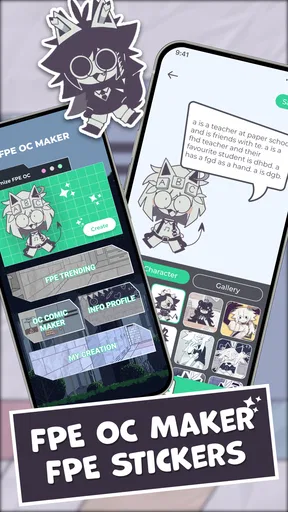
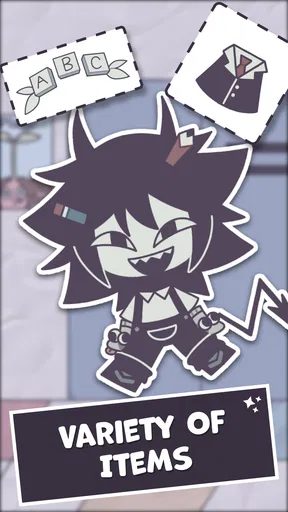
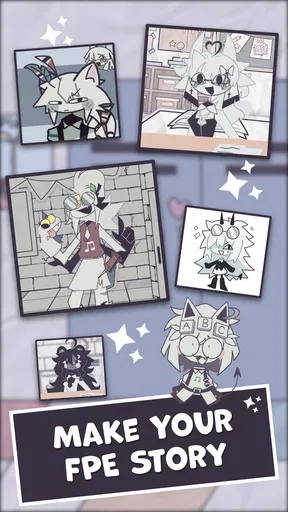
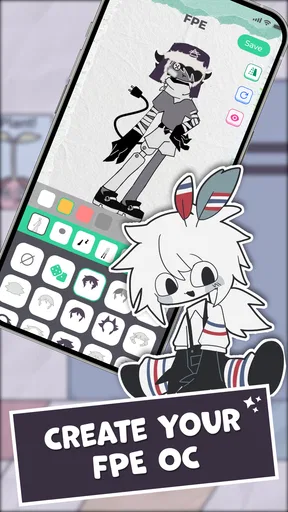
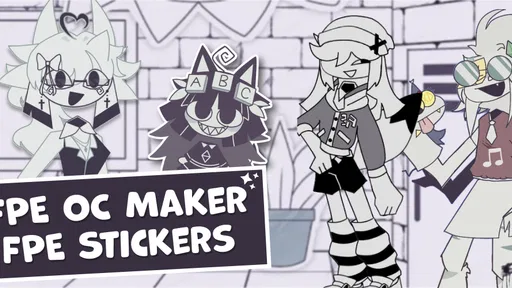
Our Review of FPE OC Maker: FPE Stickers
 Analysis by Appyee
I opened FPE OC Maker: FPE Stickers with a very specific need: I wanted to turn a rough character idea into something that looked ready to share, without first learning a full drawing program. That starting point matters because this is not trying to replace a professional illustration suite. It is a focused art and design app built around making FPE-style original characters and sticker-like cartoon images with a paper-inspired look.
My first impression was that the app is aimed at the moment between “I have an idea” and “I need a finished visual.” You choose a character direction, adjust the available visual elements, and work toward an image that can stand on its own. The appeal is immediate for people who enjoy character creators, profile art, casual fan-inspired design, or quick visual messages. The trade-off is just as clear: anyone expecting the control of a layered drawing canvas may find the experience deliberately narrow.
The app is free, suitable for Everyone, and comes from Revivoskin. It sits in the Art & Design category rather than presenting itself as a conventional game. That distinction helped me set the right expectations. I was not looking for levels, competition, or a long progression system; I was testing how smoothly an idea could move from a mental sketch to a usable character or sticker.
From a rough idea to a finished sticker
I find the best way to judge the pace of a character creator is to focus on the decisions it removes, not to expect it to draw a finished idea for me. In this section, I look at how a small brief—mood, palette, and intended use—can keep a session moving and make the final sticker more useful. That also sets up the heavier-use moments, when making several related versions calls for a little more planning.
Starting with the character in my head
The most useful way to approach this creator is to begin with a small visual brief. Instead of opening it and randomly tapping through choices, I found it better to decide three things first: the character’s mood, the main colors, and the role of the final image. A cheerful profile picture needs a different pose and expression from a reaction sticker, while a character sheet benefits from consistency more than decoration.
This simple preparation prevents a common problem with character makers: endlessly changing details without getting closer to an outcome. With a paper-style cartoon creator, the broad silhouette and expression usually carry more personality than tiny adjustments. I treated the first pass as a thumbnail rather than a final illustration, asking whether the character was readable at a glance before worrying about polish.
That approach also reveals who will enjoy the app most. It works especially well for someone who wants a quick original character concept, a visual identity for a chat profile, or a set of expressive images built around one recognizable design. It is less suitable for an illustrator who already works comfortably with freehand anatomy, custom line work, and precise color control.
Building the visual idea step by step
The workflow feels approachable because the task is broken into visual decisions instead of demanding that I draw everything from an empty canvas. I could concentrate on how the parts worked together: whether the face matched the pose, whether the colors separated the character from the background, and whether the overall paper-like appearance supported the mood.
My advice is to make the first version quickly and resist perfecting it immediately. A fast draft exposes proportion and composition problems that are easy to miss when focusing on one attractive detail. Once the character reads correctly, I would make a second pass for expression, color balance, and sticker appeal. This two-pass method is more efficient than trying to create a “perfect” result in one sequence.
A useful, less obvious workflow is to design for the final viewing size. If the image will be used as a small avatar or reaction graphic, details that look impressive while editing may disappear when reduced. I paid more attention to the outline, face, and strongest color contrast than to subtle decoration. That makes the finished character easier to recognize and gives the sticker a clearer visual punch.
Using the paper-style look instead of fighting it
The paper-inspired presentation is not just a surface treatment to ignore. It gives the characters a handmade, cutout-like personality, so overly complicated compositions can work against the app’s strongest visual identity. I got better results when I kept the design clean and allowed the simplified shapes to remain visible.
This is also where the app differs from a standard avatar generator. A typical avatar tool often aims for a polished digital portrait, while this creator leans toward a playful cartoon object that feels ready to place in a message or collection. If you want glossy realism, detailed shading, or a naturalistic face, the style may feel too fixed. If you enjoy expressive paper-like characters, the limitation becomes part of the charm.
I also found it helpful to create variations rather than overwrite the only version I liked. For example, I would keep a neutral expression, then make a surprised or amused alternative for a different use. That turns a single character idea into a small visual vocabulary. The practical benefit is that the character remains recognizable across several images while still communicating different moods.
The handoff from editing to everyday use
The important handoff is the moment when the design leaves the creator and becomes something I can actually use. A character that looks good inside an editor still needs to work as a profile image, a shared picture, or a sticker-style reaction. Before considering a result finished, I checked it in the context where I intended to use it: small on a phone screen, viewed quickly, and without relying on the editing interface to explain it.
This is where a plain background or a strong separation between character and surroundings can matter more than extra decoration. For a chat reaction, the emotion should be obvious without a caption. For a profile image, the face should remain legible when the image is displayed small. For a personal collection, consistency between several designs may matter more than making every image visually busy.
I would also keep a simple naming habit outside the creative process: label versions by mood or purpose rather than saving several nearly identical files with no clue which one is useful. That small organizational step becomes valuable once the app has helped produce more than one variation. The creator is quick enough to encourage experimentation, but experimentation can become clutter if the handoff is not planned.
What the finished result does well
The strongest outcome is speed with personality. I could move from a vague character concept to something visually coherent without having to master brushes, layers, or complex menus. The result feels more personal than a generic emoji because the character can carry a chosen mood and visual identity, while still being simpler to produce than a hand-drawn illustration.
That makes the app useful in several everyday situations. I can imagine making a reaction image before replying to a friend, preparing a playful profile picture, creating a small group of original characters for a personal project, or sketching a visual idea before developing it elsewhere. A student could use it to explore character concepts, while a casual creator could use it as a low-pressure way to start making art.
The result is not necessarily a finished professional asset. I would describe it as a strong, shareable concept or sticker-style image. If the goal is a polished illustration for publication, I would probably use this app for the initial design and then move to a more flexible editor for cleanup. That handoff is not a failure; it is a realistic division of labor between a fast character creator and a full art tool.
Where the workflow breaks down
The same simplicity that makes the app welcoming can become restrictive. When I wanted a very specific character detail or a more unusual composition, I had to work within the creator’s visual language rather than freely drawing the answer. Users who need exact anatomy, custom typography, advanced shading, or a detailed scene should be prepared to continue the work elsewhere.
Another friction point is creative repetition. A focused creator can make the first few designs feel satisfying, but users who want a huge range of styles may eventually notice the boundaries of the available approach. The app is best understood as a specialized tool for one recognizable kind of character and sticker output, not as an all-purpose design workstation.
The average rating is 3.6 from around 1.3 thousand ratings, while the app has collected 72 written reviews. I read that combination as a reason to approach it with realistic expectations rather than assuming it will suit every creator. Its appeal depends heavily on whether the paper-style FPE look matches what you want. A person seeking that specific aesthetic may find the focused workflow worthwhile, while someone searching for broad artistic freedom may be disappointed even if the app is easy to start.
There is also a difference between making one appealing character and maintaining a consistent set. A single image can look convincing with minimal planning, but a collection requires decisions about repeated colors, expressions, and visual identity. I recommend choosing a small palette and a few defining traits before making multiple versions. Otherwise, the characters may feel like unrelated experiments instead of members of the same world.
Who should use it, and who should choose another tool?
I would recommend it to beginners who want a guided route into character design, fans of simplified cartoon aesthetics, and anyone who needs a quick sticker-like visual without drawing every component manually. It is also a good fit for people who enjoy experimenting in short sessions. The free price lowers the barrier to trying that workflow, and the Everyone age rating makes it approachable for a broad audience.
I would not choose it as my main tool for professional illustration, detailed comics, realistic portraits, or designs that depend on exact custom shapes. In those cases, a conventional drawing app with layers and freehand tools would be the better destination. I would also skip it if my only goal were a generic emoji set; the character-focused process is more valuable when I care about creating a recognizable original persona.
The app can also serve as a companion rather than a replacement. I might use it to settle a character’s broad look, then transfer the idea to another program for lettering, backgrounds, or more advanced editing. That is one of its best practical roles: it removes the intimidating blank page, gives me a concrete starting point, and lets a more powerful tool handle the parts it was not designed to cover.
Practical questions before downloading
One question I would ask is whether a beginner can get a useful result quickly. In my experience, yes, provided the goal is a stylized character or sticker rather than a complete illustration. Starting with a clear mood and checking the design at its intended size makes the process much smoother than tapping without a plan.
Another question is whether the app is appropriate for children or shared family use. Its content rating is Everyone, and the simple art-and-design focus makes it broadly accessible. I would still encourage younger users to treat it as a creative activity rather than expecting a full professional drawing environment. The experience is strongest when the user enjoys choosing and arranging a visual concept.
People may also wonder whether it is worth trying when they already own a drawing app. I think it can be, but only for speed and style. A drawing app offers more control; this creator offers a more direct path to a particular paper-like cartoon result. If I already know exactly how to draw the character, the extra control of a full editor may win. If I want a fast starting point, this app can save time.
Device compatibility is another practical consideration. The current version is 1.1.9 and requires Android 7.0 or later. That makes the app relevant to many older Android devices, although the actual comfort of editing will still depend on the phone’s screen size and performance. On a small display, I would take extra care when checking fine details and final composition.
Finally, I would ask whether the app has enough value for repeated use. That depends on how much I enjoy making variations within its style. If I only need one avatar, the learning curve is short and the free entry point is appealing. If I want a large, highly varied art library, I would probably pair it with another tool rather than rely on it alone.
My final workflow recommendation
I would use the app in a compact sequence: define the character’s mood, make a fast first version, check the silhouette at small size, create one or two expression variations, and then move the best result into the place where it will actually be shared. This keeps the process focused on an outcome instead of turning the creator into an endless browsing session.
What I like most is that it gives a hesitant beginner a concrete way to start. The app does not ask me to become an illustrator before I can make something enjoyable. Its best results come from accepting the visual limits, using the paper-style appearance deliberately, and treating each character as a communication tool rather than merely a collection of decorations.
Revivoskin’s app has reached over one million installs, which suggests that the quick character-making idea has broad appeal. My own recommendation is conditional but positive: try it if you want FPE-style characters and stickers with a friendly, guided feel. Keep your expectations modest about advanced editing, and be ready to hand the result to a fuller art app when the design needs more precision.
My bottom line: this is a useful starting point for expressive cartoon character creation, especially when speed and approachability matter more than unlimited control. It succeeds when I need a recognizable visual from a simple idea, and it breaks down when I need to draw beyond its intended style. For the right workflow, that focus is not a weakness; it is exactly what makes the app worth keeping around.
Verdict
Strengths of FPE OC Maker: FPE Stickers
- Simple tools make creating custom FPE-style characters quick for beginners.
- Large selection of poses, outfits, faces, and accessories to mix and match.
- Sticker-focused design works well for chats, posts, and personal collections.
- Previewing your character before saving makes adjustments easy.
- Lightweight concept is suitable for short, casual creative sessions.
Limitations of FPE OC Maker: FPE Stickers
- Some assets may feel repetitive after extended use.
- Advanced users may find the customization options too limited.
- Export quality can vary depending on the selected sticker format.
- The interface may require experimentation before every tool feels clear.
- Ads or locked content may interrupt the creation process.
Other Releases by Revivoskin
View All
Dreamcore & Weirdcore Maker
Art & Design3.0

Anime Couple: Avatar Maker
Art & Design3.9
Similar Picks in This Category
View All
Canva: AI Photo & Video Editor
Canva4.8

PENUP – Drawing-sharing SNS
Samsung Electronics Co., Ltd.4.5

Crafto
Kutumb App4.6

Sketchbook
Sketchbook4.1

ibis Paint X
ibis inc.4.5

Adobe Express: AI Photo, Video
Adobe4.6
Frequently Asked Questions
What is FPE OC Maker: FPE Stickers used for?
FPE OC Maker: FPE Stickers is designed for creating customized original-character images and sticker-style designs inspired by the FPE aesthetic. After opening the app, users can typically combine available character parts, facial details, clothing, accessories, colors, and backgrounds to build a personalized OC. It is mainly intended for creative entertainment, profile pictures, fan content, and sharing designs with friends or on social platforms.
Is FPE OC Maker: FPE Stickers free to download and use?
The app may be available to download at no initial cost, but the exact experience can depend on the version installed and the platform’s current listing. Some features, character elements, sticker packs, or customization options may be restricted behind advertisements or optional purchases. Before downloading, check the Google Play Store or App Store page for the latest information about in-app purchases, subscriptions, and any limitations on exporting or saving creations.
Does FPE OC Maker: FPE Stickers require an internet connection?
Basic character creation may work without a constant connection once the necessary assets have loaded, but some functions can depend on internet access. Advertisements, online content, updates, sharing tools, or additional sticker resources may not work offline. If you plan to use the app while traveling or with limited data, it is a good idea to test the editor first and confirm whether your favorite assets and save options remain available without Wi-Fi or mobile data.
Can I save and share the characters or stickers I create?
The app is intended to let users keep and share their customized creations, usually by saving an image to the device or using the system’s sharing menu. Available export options can vary by device, app version, and the selected design. Check the permissions requested by the application before saving images, and remember that creations based on recognizable fan styles or third-party characters may be subject to the original creator’s copyright and usage rules.
Is FPE OC Maker: FPE Stickers safe for children and privacy-conscious users?
The app should be downloaded only from the official Google Play Store or Apple App Store, where you can review its developer information, ratings, age classification, permissions, and privacy details. Pay particular attention to advertising, analytics, external links, and in-app purchase settings. If a child will use it, parental controls are recommended, especially if the app includes ads, social sharing, or features that can open external websites.
